A free AI website builder that runs in your browser.
Describe your business and let AI draft the site, or start from a free template. Click any text to change it, ask AI to rewrite it, drag in the sections you need, then download your site as HTML and publish it anywhere. No sign-up, no ads, no watermark, no monthly fee.
Works on desktop browsers. Your site is saved on your own computer.
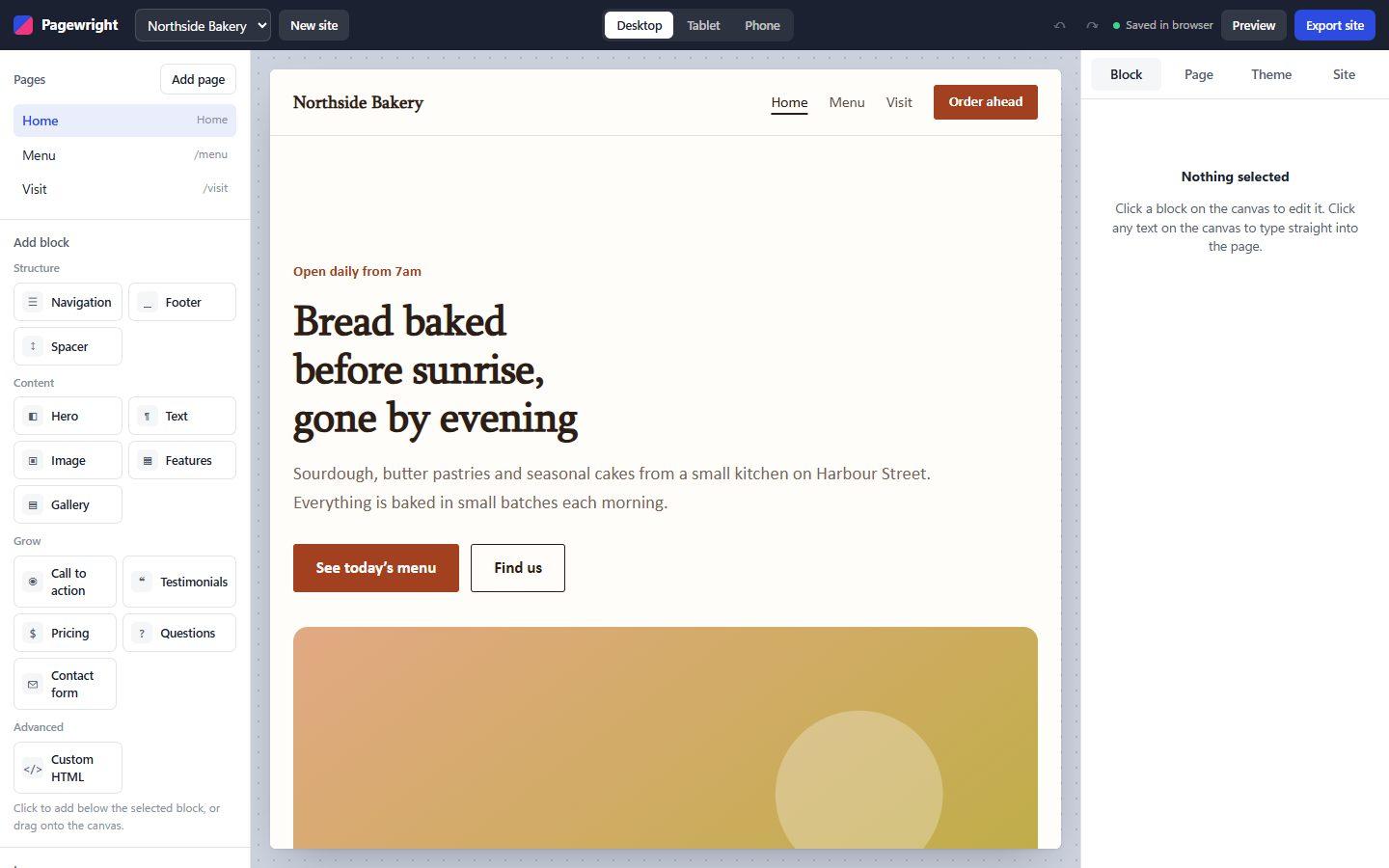
How to make a website for free in three steps
- 1
Pick a starting point
Choose a local business, portfolio or blank template. Every one is a real, multi-page site you can change completely.
- 2
Edit right on the page
Click any heading or paragraph and type. Add sections from the block library, drag them into place, and change colors and fonts for the whole site at once.
- 3
Download and publish
Enter your email and phone number once, then export a zip of plain HTML files. Upload it to Netlify, GitHub Pages, cPanel or any web host, or open index.html straight from your computer.
Build a website with AI, free and private
Most AI website generators send everything you type to their servers and charge for credits. This one uses the AI model already built into your browser, so your words never leave your computer and there is nothing to pay for.
Describe it, get a first draft
“A family momo restaurant in Pokhara with rooftop seating.” AI chooses the template and writes the copy.
Rewrite any text in one click
Improve, shorten, make it friendlier or more professional. Undo if you prefer your version.
Works where built-in AI is available
Recent desktop Chrome includes it. In other browsers you still get the full builder and templates.
Simple to use, with the features of a real website builder
Most free website builders are free until you want your own domain or want their logo off your page. This one is different because there is nothing to sell you inside it.
AI drafts your site
Describe your business in a sentence. AI picks a template and writes the headline, features and call to action for you to edit.
AI writing assistant
Select any text and ask AI to improve it, shorten it, or make it friendlier or more professional.
No account, no sign-up
Open the builder and start. There is no password and nothing to log in to. We only ask for your email and phone number when you download your site.
Your work stays on your device
Pages are saved in your browser’s local storage and images in IndexedDB. Nothing is uploaded to our servers, because there are none involved.
Drag and drop blocks
Navigation, hero, text, images, galleries, features, pricing tables, testimonials, FAQs, contact forms, footers and custom HTML.
Edit text in place
What you see is the page itself. Click and type, the way you would in a document.
Phone, tablet and desktop views
Every block is responsive. Switch the canvas width to check how the site looks on a phone before you publish.
Live preview tab
Open a preview in another tab and it updates as you type, so you can see the real page while you edit.
Clean HTML export
One HTML file per page with the CSS inside it. No tracking scripts, no builder branding, no lock-in.
Undo, autosave and backups
Every change is saved automatically and can be undone. Download a backup file to move a site to another computer.
Works offline
After the first visit the builder keeps working without an internet connection.
Who it’s for
Small shops, restaurants, freelancers, students and clubs who need a clean, fast website this afternoon, and anyone who wants to sketch a site before hiring someone to build it.
What it doesn’t do
It doesn’t host your site, take payments, or manage logins. When you need those, our web development team builds custom sites, and our guide to website costs explains what that involves.
Free website templates to start from
9 designs with their own colors, fonts and animation. Open one, make it yours, and change anything later.
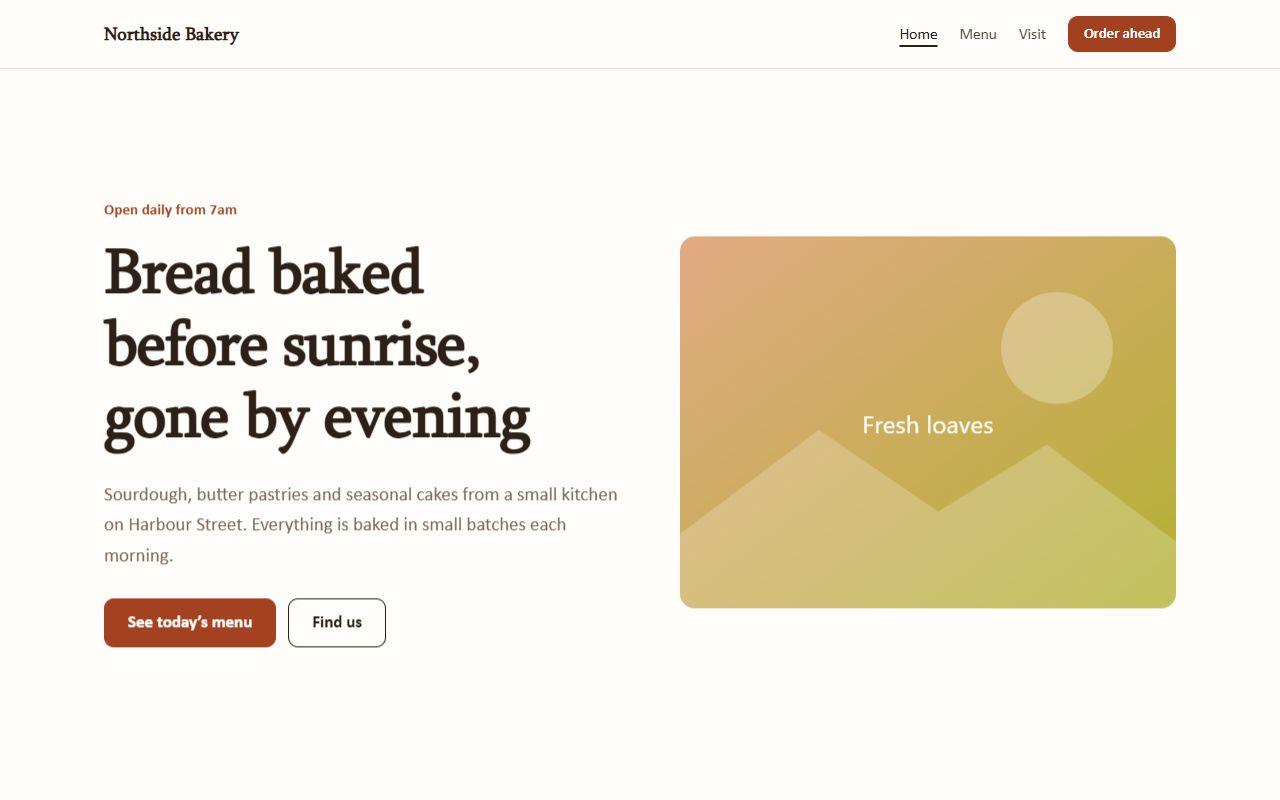
Local business template
A free three-page website template for shops, bakeries and local businesses.
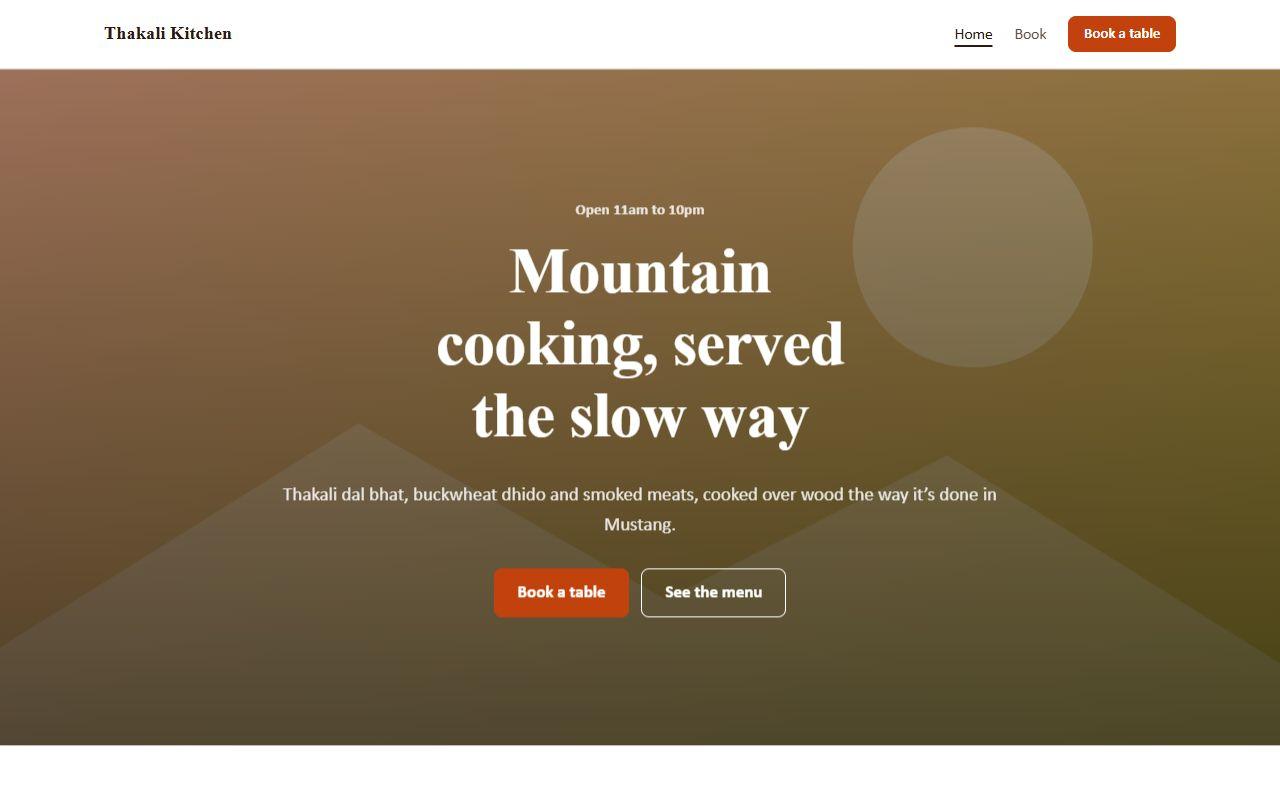
Restaurant template
A free restaurant website template with a full-width photo hero, signature dishes, food gallery, reviews and a table booking page.
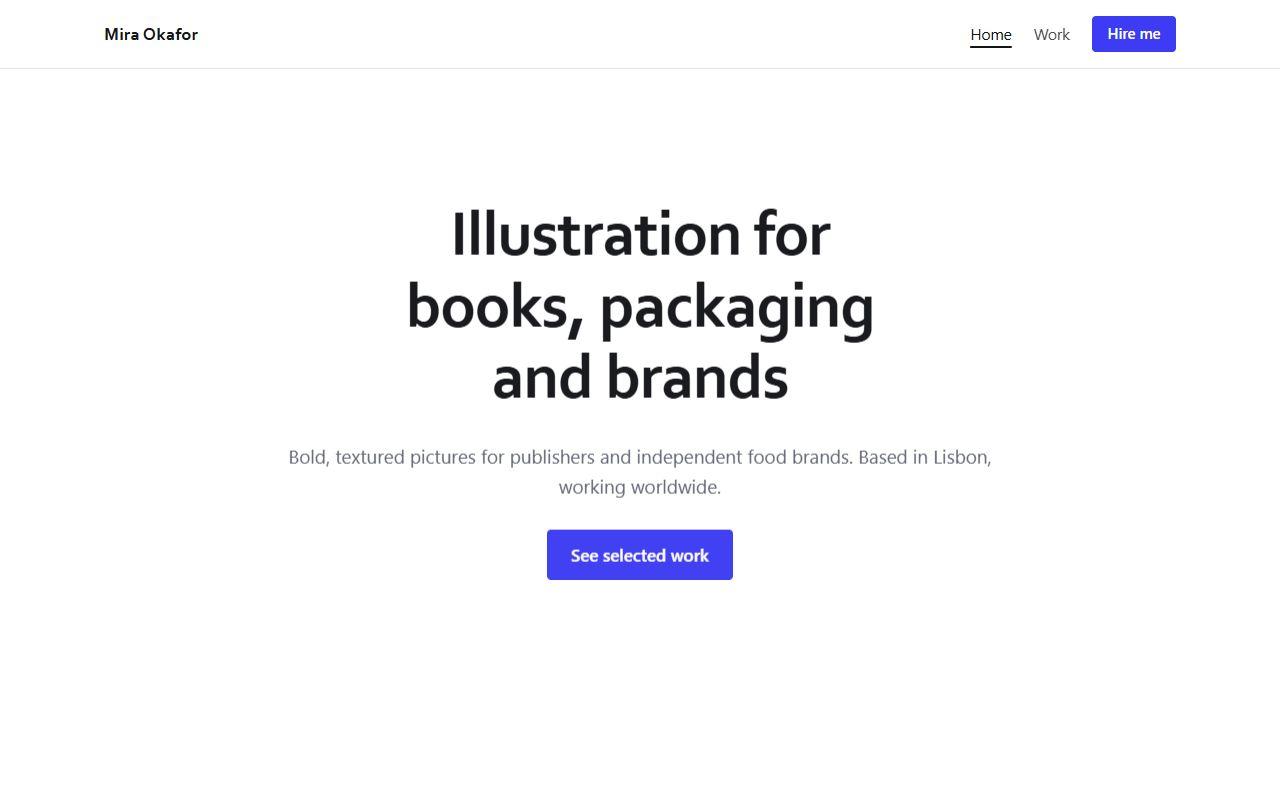
Portfolio template
A clean, free portfolio website template for illustrators, designers, photographers and freelancers.
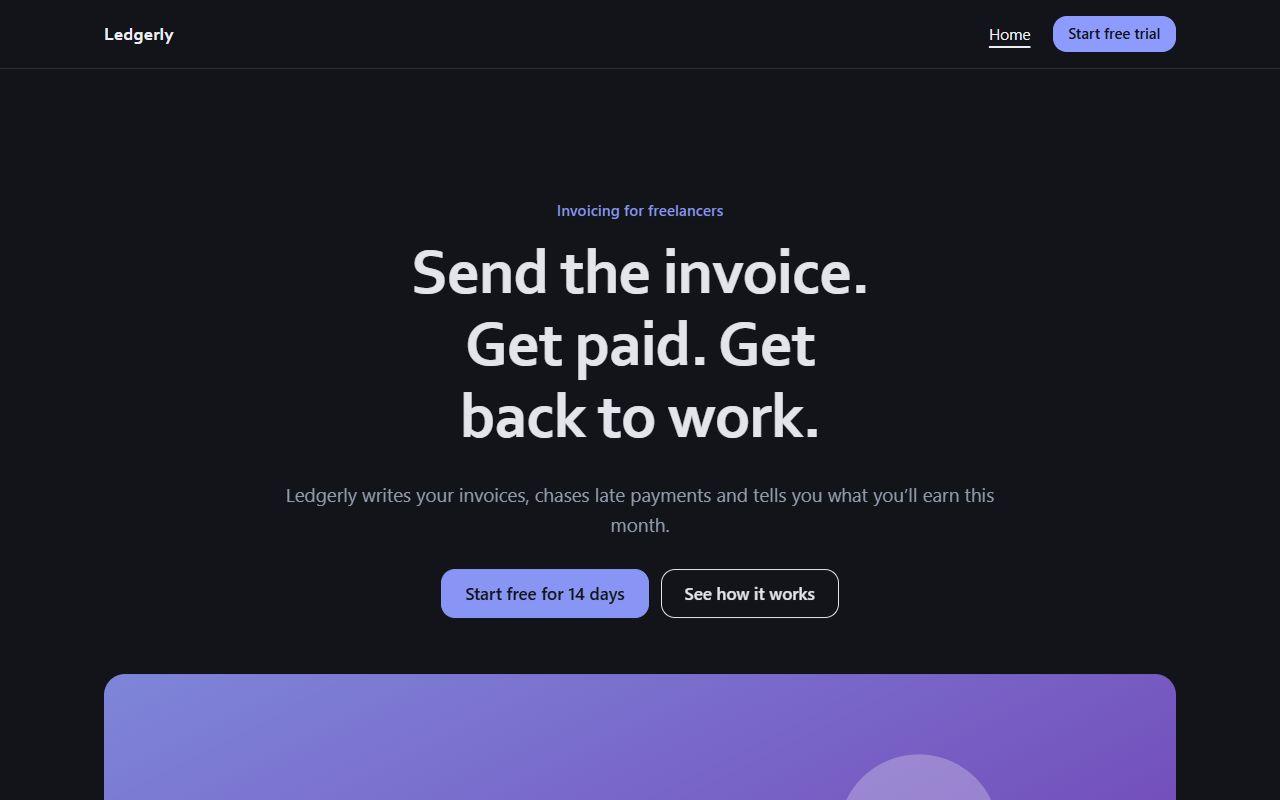
Startup / SaaS template
A free dark landing page template for startups, apps and SaaS products, with features, pricing plans, testimonials and FAQs.
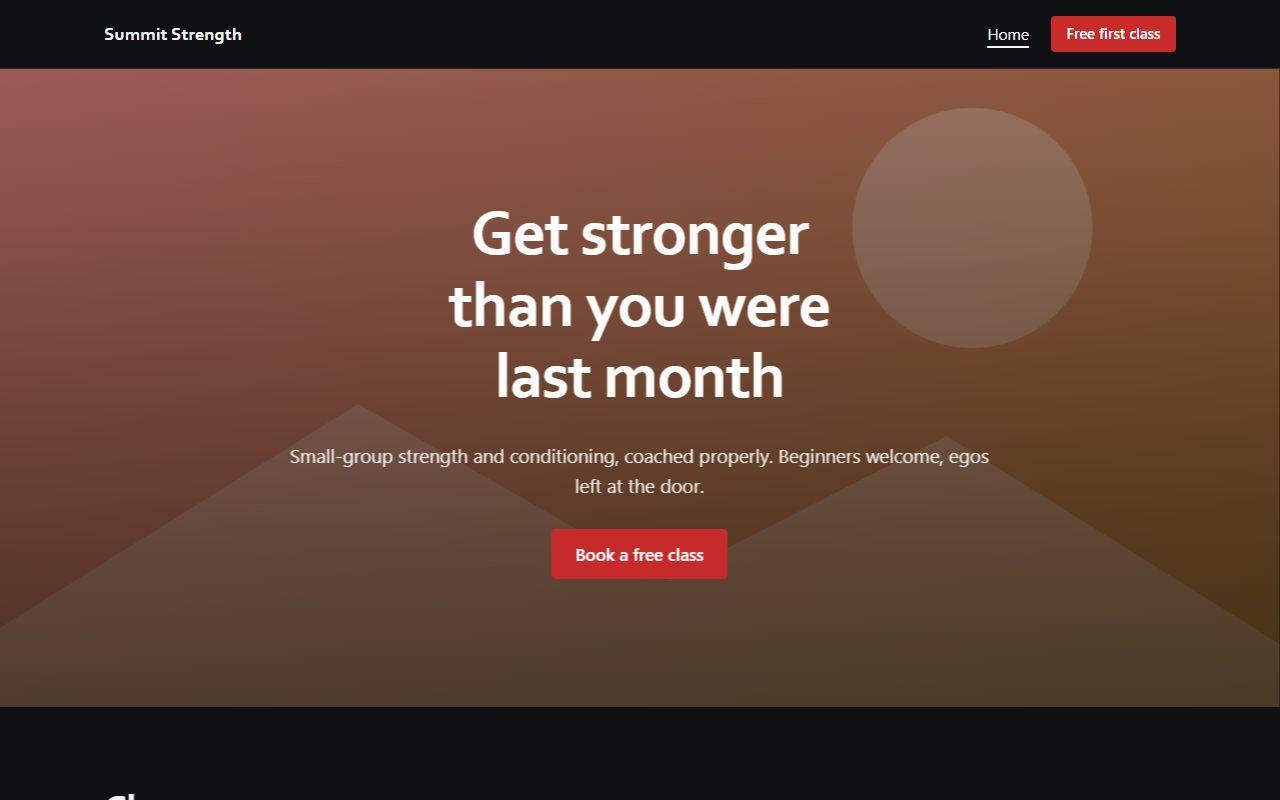
Gym & fitness template
A bold, free gym website template with classes, membership pricing and a free-class booking form.
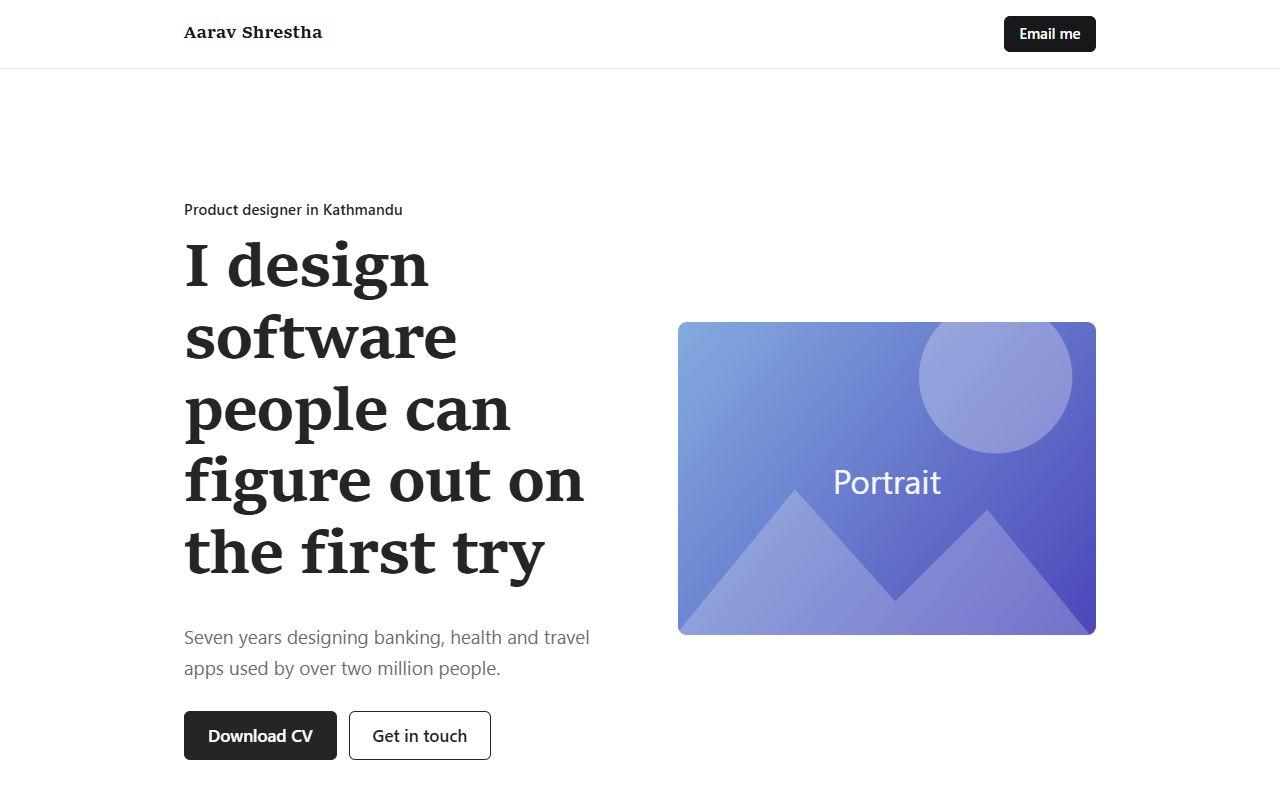
Personal / résumé template
A free one-page personal website template for your résumé or CV: introduction, skills, experience, projects and contact.
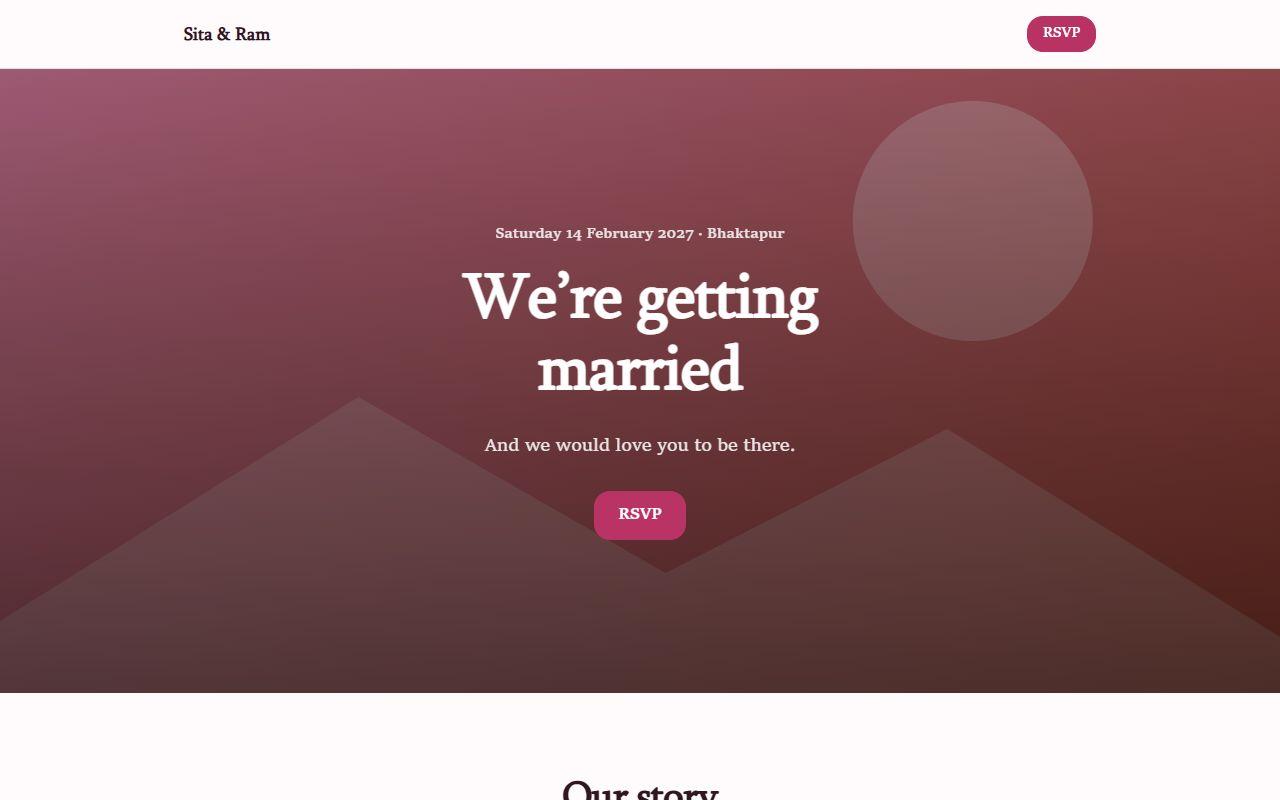
Wedding / event template
A free, elegant wedding website template with your story, the schedule of the day, a photo gallery and an RSVP form.
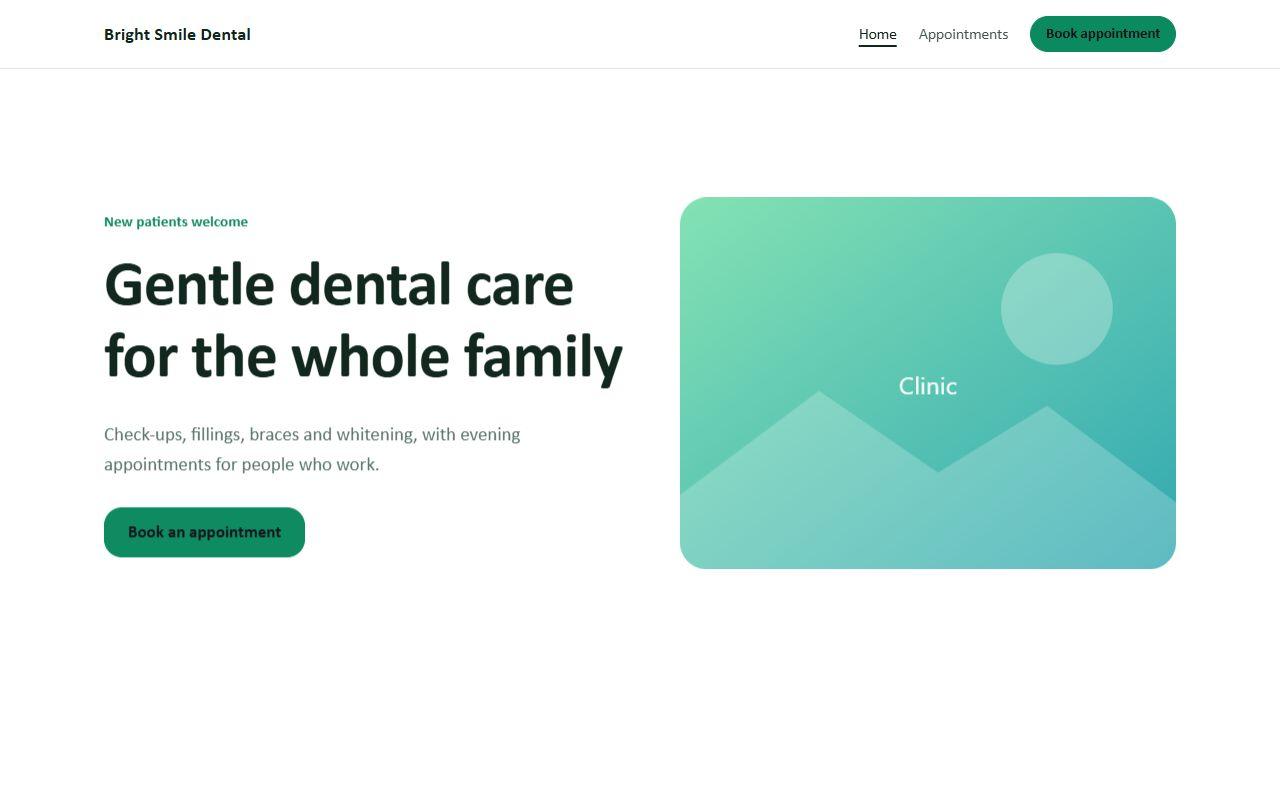
Clinic / services template
A friendly, free clinic website template with treatments, patient reviews, FAQs and an appointment request page.
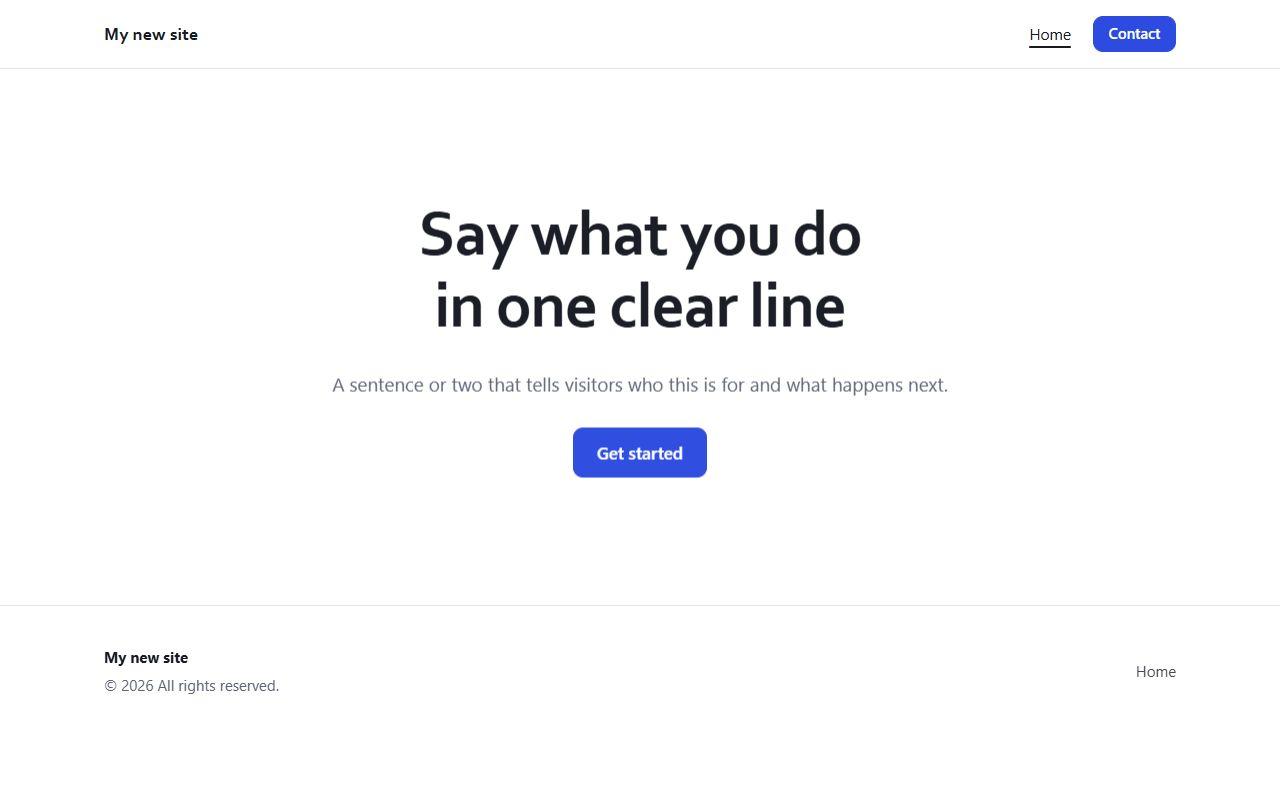
Blank template
Start from a simple blank page with a navigation bar, hero and footer, then add the sections you want.
Questions about the free website builder
Is this an AI website builder?
Yes. It uses the AI model built into your browser to draft a whole site from a description and to rewrite any text. The AI runs on your device, so it is free and private. It needs a browser with built-in AI, such as recent desktop Chrome. In other browsers everything else works and the AI buttons are simply hidden.
Are there free website templates?
Yes, 9 of them: small business, restaurant, portfolio, startup and SaaS, gym and fitness, personal résumé, wedding, clinic and a blank page. Every template is free and fully editable.
Is the website builder really free?
Yes. There is no paid plan, no trial period, no watermark on your site and no limit on pages or sites. It is a tool we built and give away.
Do I need to create an account?
No. The builder runs entirely in your browser, with no account and no password. The only time we ask for anything is when you download your site: we ask for your email and phone number once, so we can follow up if you want help with hosting or a custom build.
Can I share my website before publishing it?
Yes. Click Share link in the builder and send the link to anyone. They can view the site and open their own editable copy. Photos you uploaded stay on your computer, so use image web addresses if you want them in the shared link.
Where is my website saved?
In your own browser on your own computer, using local storage for pages and IndexedDB for images. That keeps it private, but it also means clearing your browser data deletes your sites. Use “Download backup” in the Site tab to keep a copy.
Does it host my website?
No. When you are ready, click Export site, enter your email and phone number, and download your pages as HTML files. Then upload them to any host. Netlify, Cloudflare Pages and GitHub Pages all offer free static hosting.
Can I use my own domain name?
Yes. Because the export is standard HTML, you can put it on any host and connect any domain you own.
Does the contact form send emails?
In the builder’s preview, messages are stored in your browser so you can see how the form behaves. On a live site you would connect the form to an email or form service. If you need that set up, we can do it for you.
Is this good for SEO?
The exported pages are fast, lightweight HTML with a title and description you set for each page, which is a solid base. Ranking still depends on your content, links and local listings.
When should I hire a developer instead?
When you need online payments, logins, a booking system, a content management system for a team, or a site built around your exact brand. That is the work we do every day.
Build your website now
It opens in a few seconds and your first page is already there to edit.